
For years, bloggers have been told that comments are magic bullets for SEO. Get more comments, they say, and your rankings will climb. But in 2025, that’s not how it works anymore. The truth? Blog comments don’t directly boost your SEO rankings - but they can still play a powerful role if you use them right.
What Google Actually Says About Comments
Google’s John Mueller has been clear: comments themselves aren’t a ranking factor. That means having 500 comments on a post won’t magically push you to page one. Google doesn’t count comments like backlinks or measure keyword density in replies. The search engine looks at content quality, user experience, page speed, and authority - not comment volume.
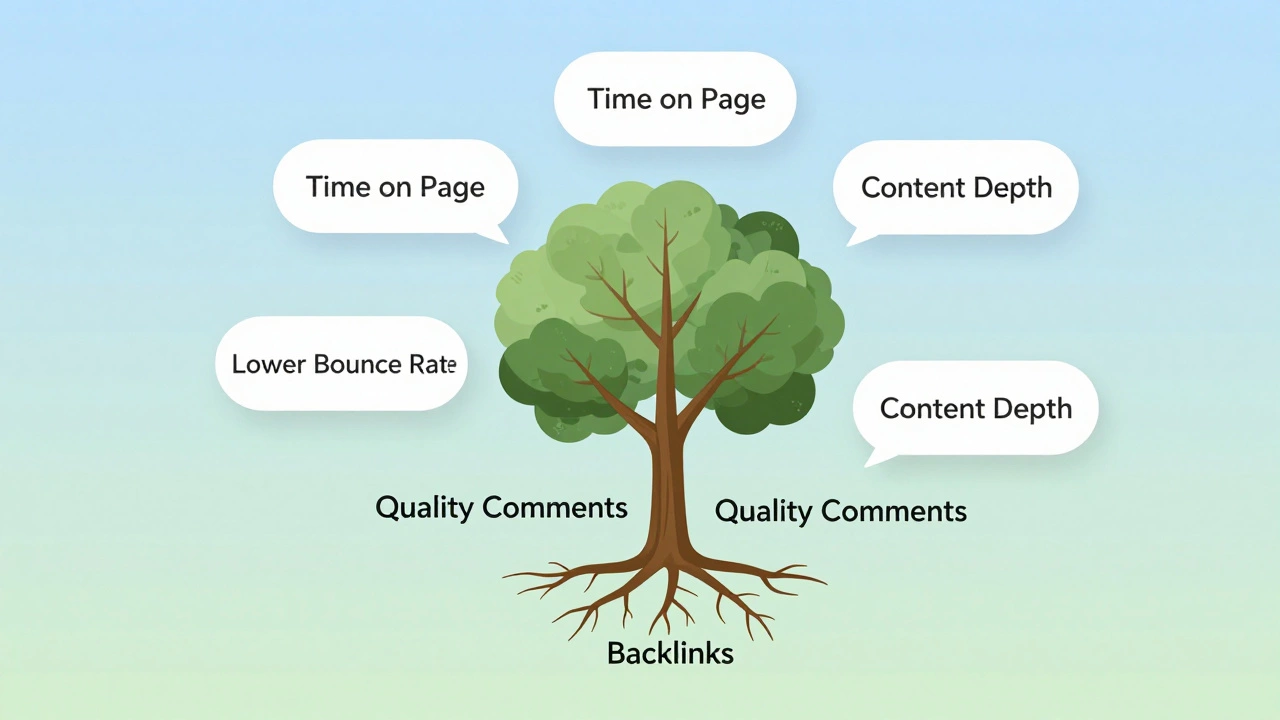
But here’s the catch: comments influence signals Google does care about. If people are actively discussing your post, staying on the page longer, clicking to other articles, or sharing the content - those actions tell Google your content is valuable. And that matters.
How Comments Indirectly Help SEO
Think of comments as a side effect of good content, not a tool to force rankings. Here’s how they actually contribute:
- Longer time on page: A lively comment thread keeps readers engaged. If someone reads your post, scrolls through 15 thoughtful replies, and then checks out another article, Google sees that as a positive signal.
- Lower bounce rate: A comment section with replies encourages users to stay. If someone lands on your post and leaves immediately, that’s a red flag. But if they read, comment, and click around? That’s a win.
- Content expansion: Comments often answer questions your post didn’t cover. Someone might ask, “What if I’m using WordPress 6.7?” - and your reply becomes a mini-guide that helps future visitors. That adds depth without you writing another 1,000-word article.
- Social sharing: People are more likely to share a post that has active discussion. A post with 50+ comments looks more credible. That leads to more traffic from social media, which can lead to more backlinks.
One real example: a food blog with a recipe for vegan banana bread got 32 comments from readers sharing substitutions - almond flour, flax eggs, stevia instead of sugar. Those comments became a hidden resource. Months later, the post ranked for “vegan banana bread substitutions” - not because of the original text, but because the comment section answered a question Google’s algorithm started associating with the page.
Bad Comments Hurt SEO - Here’s How
Not all comments help. In fact, bad ones can hurt you.
- Spam comments: Links like “Buy cheap viagra here” or “Best casino online” in your comments? Google sees your site as low-quality. Even if you moderate, spam can trigger manual penalties if it’s rampant.
- Empty comments: “Great post!” “Thanks!” “I agree.” These add zero value. They don’t improve engagement metrics, and they clutter the page.
- Too many replies with no structure: If your comment section looks like a chaotic forum with nested replies going 10 levels deep, it slows down your page. Page speed is a ranking factor. Heavy comment plugins with bloated JavaScript can tank your Core Web Vitals.
A 2024 study by SEMrush analyzed 12,000 blog posts. Those with over 20% spam or low-quality comments had a 37% higher bounce rate and 22% slower load times compared to posts with clean, moderated comments. That’s not a coincidence - it’s a penalty in disguise.
What to Do Instead: The 2025 Comment Strategy
Stop chasing comment count. Start chasing quality.
- Ask questions at the end of your posts. Instead of “Let me know what you think,” try: “What’s one thing you’ve tried that didn’t work for you?” or “Which tool do you use instead of [X]?” Specific questions get specific answers.
- Reply to every comment (at least once). If someone takes time to write, respond. It shows you care. It keeps the conversation going. It also gives you a chance to link to another relevant post - naturally, not spammy.
- Use a lightweight comment system. Avoid Disqus if you can. It adds 200+ KB of JavaScript. Use native WordPress comments or a minimal plugin like CommentLuv (with moderation turned on). Speed matters more than flashy features.
- Enable comment moderation. Don’t auto-approve anything. Review every comment. Delete spam. Flag low-effort replies. Your comment section should feel like a thoughtful discussion, not a dumpster.
- Pin a top comment. If someone writes a brilliant reply that adds value, pin it to the top. It becomes a secondary source of useful info - and signals to Google that your post has community-driven depth.
Comments vs. Backlinks: What’s More Important?
Let’s be honest: backlinks still rule SEO. A single high-quality link from a .edu site or a major publication will do more for your rankings than 1,000 comments.
But here’s the smart move: use comments to build relationships that lead to backlinks.
Example: You write a post on “How to Optimize WordPress for Speed.” Someone replies with a detailed tip about caching plugins you didn’t mention. You reply, thank them, and say, “I’d love to feature your insight in a future update.” A month later, they link to your post from their own blog - because you made them feel heard.
That’s the real power of comments: they’re not SEO tools. They’re relationship tools. And relationships lead to backlinks, shares, and trust - the real drivers of SEO.

When Comments Don’t Matter at All
Some blogs shouldn’t even have comments.
- News sites: If you’re publishing daily updates, comments are noisy and hard to moderate. Turn them off.
- Highly technical guides: If your post is a step-by-step tutorial for API integration, readers aren’t there to chat. They’re there to copy code. Comments just get in the way.
- Low-traffic blogs: If you get 50 visits a week, a comment section with zero replies looks dead. That hurts credibility. Wait until you have consistent traffic before enabling comments.
For these cases, replace comments with a simple “Share your thoughts on Twitter” link. It’s cleaner, more controlled, and still drives engagement.
The Bottom Line
Do blog comments help SEO? Not directly. But they help the things that do help SEO: engagement, trust, content depth, and community. If you treat comments like a conversation starter - not a ranking hack - they become one of your most underrated SEO assets.
Focus on quality over quantity. Reply. Moderate. Ask better questions. And don’t waste time trying to game the system. Google rewards real human interaction - not fake numbers.
One last thing: if your comment section is empty, don’t panic. Fix your content first. Write something so useful, so clear, so specific that people can’t help but reply. That’s the real SEO secret.
Do blog comments directly improve Google rankings?
No, blog comments are not a direct ranking factor. Google doesn’t count the number of comments or weigh them like backlinks. However, comments can influence indirect signals like time on page, bounce rate, and content depth - which do affect rankings.
Should I enable comments on every blog post?
No. Only enable comments if your content invites discussion - like opinion pieces, tutorials, or guides where readers have questions or experiences to share. For technical guides, news updates, or low-traffic blogs, comments often create more work than value.
Are spam comments bad for SEO?
Yes. Spam comments can trigger Google to view your site as low-quality. They slow down your page, increase bounce rates, and may even lead to manual penalties if your site is flooded with link spam. Always moderate comments and use tools like Akismet or reCAPTCHA to block bots.
Can I use comments to build backlinks?
You shouldn’t try to insert links in comments - that’s spam. But if you engage genuinely with commenters and they find your content valuable, they may link to your post from their own site. That’s how real backlinks happen - through relationships, not manipulation.
What’s the best way to encourage quality comments?
End your posts with a specific, open-ended question. Instead of “What do you think?”, ask “What’s one tool you wish existed for this task?” or “Have you tried this method? What happened?” People respond better to clear prompts than vague requests.
Next Steps
If your blog has comments enabled but they’re quiet:
- Check your moderation settings - are you accidentally blocking legitimate replies?
- Look at your top 5 posts. Do they end with a question that invites discussion?
- Reply to the last 10 comments you received. Even a simple “Thanks for sharing that!” can spark more replies.
- Switch to a lighter comment system if your site feels slow.
If you don’t have comments enabled:
- Test it on one post. Pick a popular guide and turn comments on for a week.
- Track bounce rate and time on page in Google Analytics. If they improve, keep it.
- If nothing changes, turn it off. Not every blog needs comments.
SEO isn’t about tricks. It’s about creating value that people want to interact with. Comments are just one way to measure if you’re succeeding.